
iPhone Data Recovery in Dubai: What to Do When Your iPhone Won’t Turn On
Data Recovery Guide
iPhone Data Recovery in Dubai: What to Do When Your iPhone Won’t Turn On
Facing a dead iPhone screen when you press the power button is stressful. Your device holds critical personal files, family photos, financial details, and work contacts. When your device stops responding, securing professional iPhone data recovery service in Dubai becomes your top priority.
Whether your device suffered severe impact damage, fell in water, or crashed during a software update, a black screen does not mean your files are lost forever. Understanding how file storage works and knowing the right recovery steps helps you save precious memories and business documents safely.
Why iPhones Stop Turning On
An iPhone can freeze or power down completely due to hardware faults, physical accidents, or software corruption. Identifying the root cause helps determine the correct method to recover data from dead iPhone models.
1. Severe Physical and Screen Damage
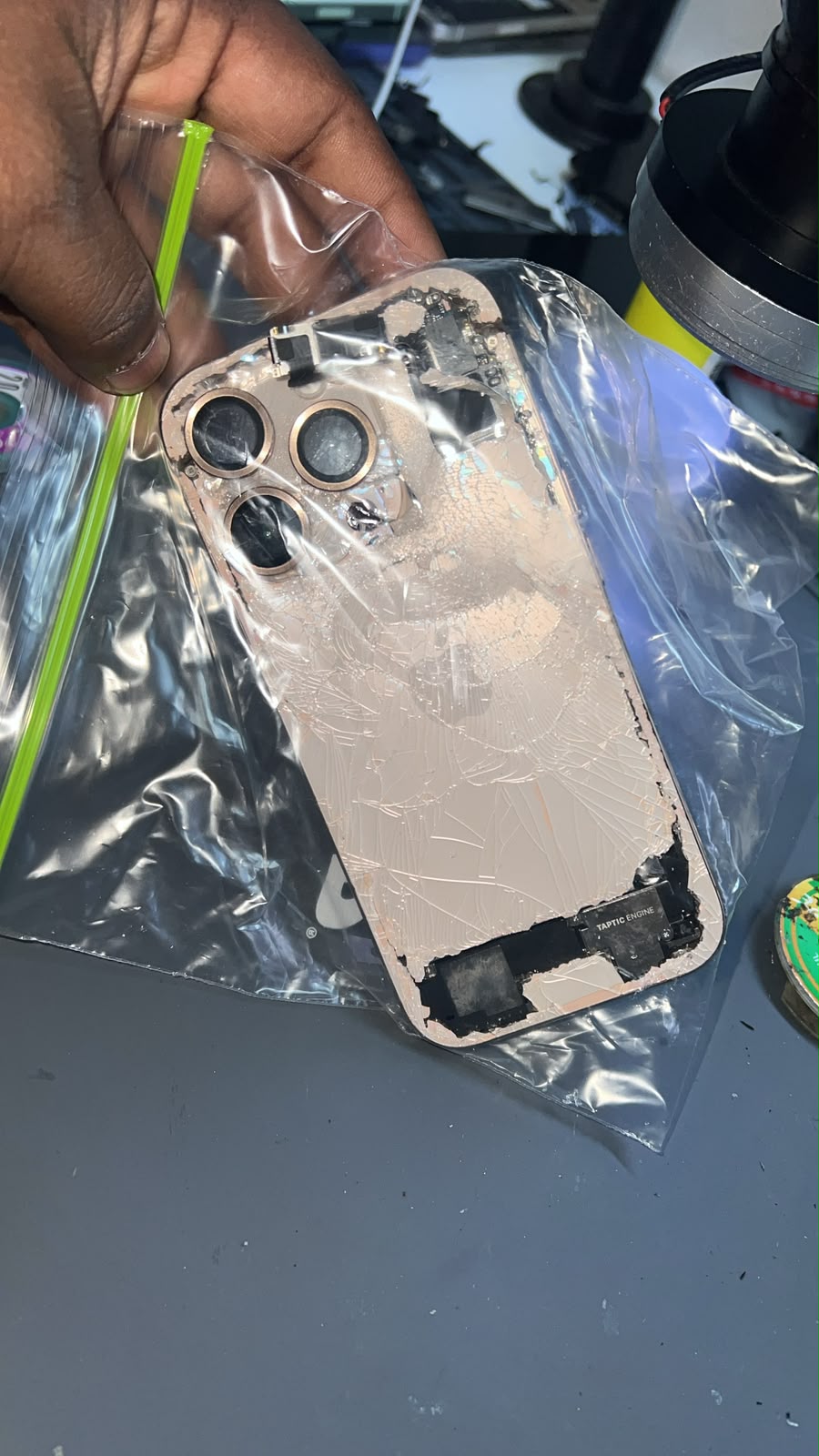
A violent drop can crack the outer glass, rupture internal connectors, or shatter the display panel. Your phone might actually turn on and vibrate, but a black display prevents input. In these cases, professional iphone screen repairs restore visual access so you can back up your device.
2. Water Exposure and Internal Corrosion
Liquid spills or submergence cause short circuits on the logic board. Over time, corrosion degrades copper traces and capacitors, preventing power distribution. Specialized cleaning and board repairs are necessary to temporarily power the board for Broken iPhone Data Recovery in Dubai requests.
3. Battery Failure or Power IC Breakdown
Lithium-ion batteries degrade over time, leading to unexpected shutdowns. Alternatively, power management chips (PMIC) can fail due to non-compliant chargers or power surges, preventing current from reaching internal components.
4. Severe iOS Corruption and Boot Loops
Interrupted software updates can sometimes corrupt system files. The device may get stuck in a boot loop or on a black screen. In many cases, specialised tools can repair the system without wiping your data.
Immediate Steps to Take When Your iPhone Won't Power On
When your phone stops responding, taking immediate action for iPhone data recovery prevents further hardware deterioration or permanent memory loss:
- Perform a Force Restart: Press and quickly release Volume Up, press and quickly release Volume Down, then hold the Power Button until the Apple logo appears. This resets power states without deleting user content.
- Check Charging Accessories: Clean lint out of the charging port using a soft wooden pick. Plug the device into an official Apple cable and wall charger for at least 30 minutes.
- Avoid Repeated Power Attempts on Wet Devices:
- Switch it off straight away and don't try to charge it.
- Don't put it in rice. It doesn't remove moisture from inside the phone, and it can leave dust and starch behind.
- Don't use a hairdryer, heater or direct sunlight. Heat can damage the battery and the logic board.
- Bring it to us as soon as possible. Corrosion spreads over time, so fast action gives the best chance of recovering your data.
- Connect to a Computer: Use a Mac or PC with an official cable. On Windows and newer Macs, open the Apple Devices app. On older Macs, use Finder or iTunes. If your iPhone shows up in Recovery Mode, choose "Update" rather than "Restore" to keep your files.
Please note that if your screen is black, you can't tap "Trust This Computer" on the phone. Unless that computer was trusted before, it may not be able to read your data. In that case, the screen usually needs to be repaired first.
Technical Solutions for Recovering Data from a Dead iPhone
When dealing with an unresponsive smartphone, professional technicians rely on systematic methods for iPhone data retrieval in Dubai depending on the underlying cause of failure.
What We Need From You Before Recovery
Your iPhone's passcode is still required for data recovery. Apple's encryption means no technician can bypass it, so please remember it or have it ready. If Find My iPhone and Activation Lock are on, we'll also need you to sign in or remove the lock yourself before we can continue.
To protect your privacy, we can only work on devices that belong to you. Please bring a valid ID (Emirates ID or passport) and your proof of purchase or another proof of ownership.
Hardware Repair for Data Extraction
When physical components break, certified specialists temporarily repair damaged circuits. This process involves micro-soldering damaged logic board traces, replacing blown capacitors, or swapping screen assemblies to allow a complete system backup.
Recovering Data from iCloud
If your iPhone can't be repaired, your data may still be safe with icloud data recovery in Dubai. You sign in to your own iCloud account on a new or spare device, and Apple sends a verification code to your trusted device or phone number. We never need your Apple ID password, and you should never share it with anyone.
Once you're signed in, you can restore your contacts, photos, WhatsApp chats and device backups. Our team can guide you through the steps. Note that if you have turned on Advanced Data Protection, some data is encrypted so that only you can access it, and it can only be restored with your recovery key or contact.
Best Practices to Protect Your Data in the Future
Adopting proactive data protection habits ensures your valuable files remain safe and reduces the need for emergency Deleted iPhone Data Recovery against unexpected hardware failures.
- Enable Automatic iCloud Backups: Go to Settings > [Your Name] > iCloud > iCloud Backup, and toggle it ON.
- Keep Local Computer Backups: Plug your phone into a computer once a month to create an encrypted local backup.
- Avoid Uncertified Charging Accessories: Use MFi-certified chargers to prevent voltage spikes that damage internal power chips.
- Act Quickly After Damage: Physical corrosion progresses over time. Seeking professional help immediately increases recovery success rates.
Recover Your iPhone Data Today with 800fixing
Losing access to your personal files, work contacts, or family photos due to a dead device is a stressful experience. Fortunately, hardware failures, water damage, or system crashes do not have to mean permanent loss. By acting quickly, avoiding risky DIY fixes, and using reliable backup methods, you protect your digital life against unexpected accidents.
When expert intervention is required, trust the proven specialists at 800fixing. As a leading provider of iPhone data recovery service in Dubai, our certified technicians utilize state-of-the-art diagnostic tools, cleanroom environments, and micro-soldering capabilities to safely retrieve your files. Whether you need urgent board repairs, screen replacements, or icloud recovery assistance, 800fixing delivers transparent, reliable, and fast solutions tailored to your needs. Visit 800fixing.com today to schedule a diagnostic inspection and restore your valuable data safely.
Frequently Asked Questions
1. How long does professional iPhone data retrieval take in Dubai?
Standard software recovery or basic screen replacements take 24 to 48 hours. Complex micro-soldering on liquid-damaged logic boards usually takes 3 to 5 business days, depending on hardware condition and circuit complexity.
2. Can you recover deleted photos or messages from a dead iPhone?
We can recover existing data stored on the device and assist in restoring content from your backups. However, permanently deleted data usually cannot be recovered once it has been erased or overwritten.
3. Will opening a damaged iPhone erase my files?
No, physical disassembly does not wipe internal flash storage. Experienced technicians carefully remove screen assemblies and batteries while keeping the encrypted storage chips completely intact and safe.
4. What if my logic board is completely broken?
If the primary board is damaged, technicians either repair the original board or move the NAND and CPU stack together onto a working board to read your files.
5. Is my personal information kept safe during the recovery process?
Reputable service centres follow strict privacy standards and data protection protocols. Your extracted files remain confidential, secure, and accessible only to you upon final handover.